BPMN with Plone#
This documentation is still a draft.
This project documents how to use BPMN 2.0 business process models with Plone.
BPMN stands for Business Process Model and Notation, an OMG standard. BPMN provides a visual language that everyone from domain experts to business analysts and developers can understand. BPMN 2.0 also defines an executable XML format with strict operational semantics. Because process engines execute BPMN models directly, BPMN can eliminate the translation gap between a process specification and production code. BPMN becomes the production code.
This documentation accompanies a playground, which you can open in GitHub Codespaces.

About states and activities#
Plone workflows describe a content object’s state and the transitions available from that state. BPMN describes the work performed over time by mode the activities and sequence of a business process. Plone focuses on an individual document; BPMN models a process that can coordinate work across people and systems. They address different concerns and can complement each other.
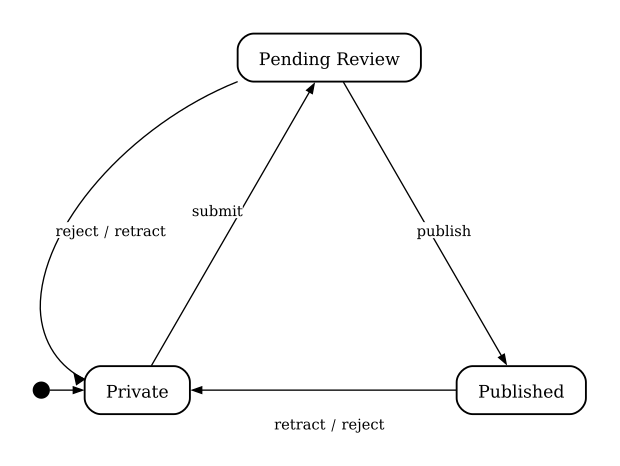
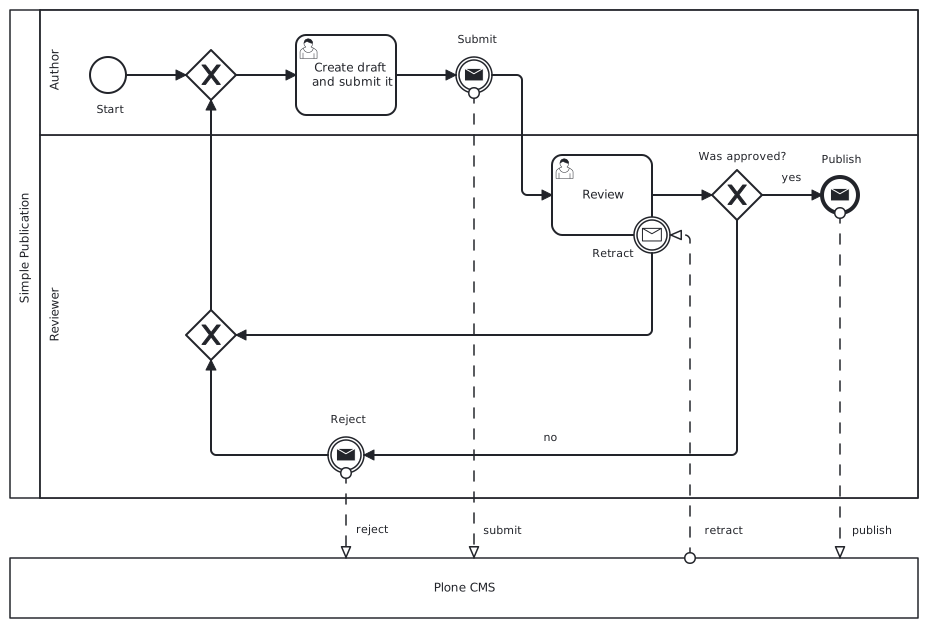
Collaboration between BPMN and Plone#
For users, Plone is a tool to help them to complete their work. Activity-based workflow like the ones defined with BPMN focus on users and their work. Users may Create drafts and submit them for publication, and Review them. Eventually the process completes, but Plone continues to manage the state of the resulting artifact, to be there for future editorial processes when required.
Try the token simulator: start a simulation, click the start event, then click enabled activities and sequence flows to advance the token through the process. Reset the simulation to try again.#
Use the :align: option to position a diagram within its available width.
Set it to left (the default), center, or right.
Why external process engine?#
When BPMN is used to model and orchestrate work performed mainly by users or systems outside Plone, it is natural for that process to be managed by a dedicated service: a BPMN engine. This separates the concerns of managing content (Plone) from managing work (BPMN), and makes it straightforward to integrate with systems other than Plone.
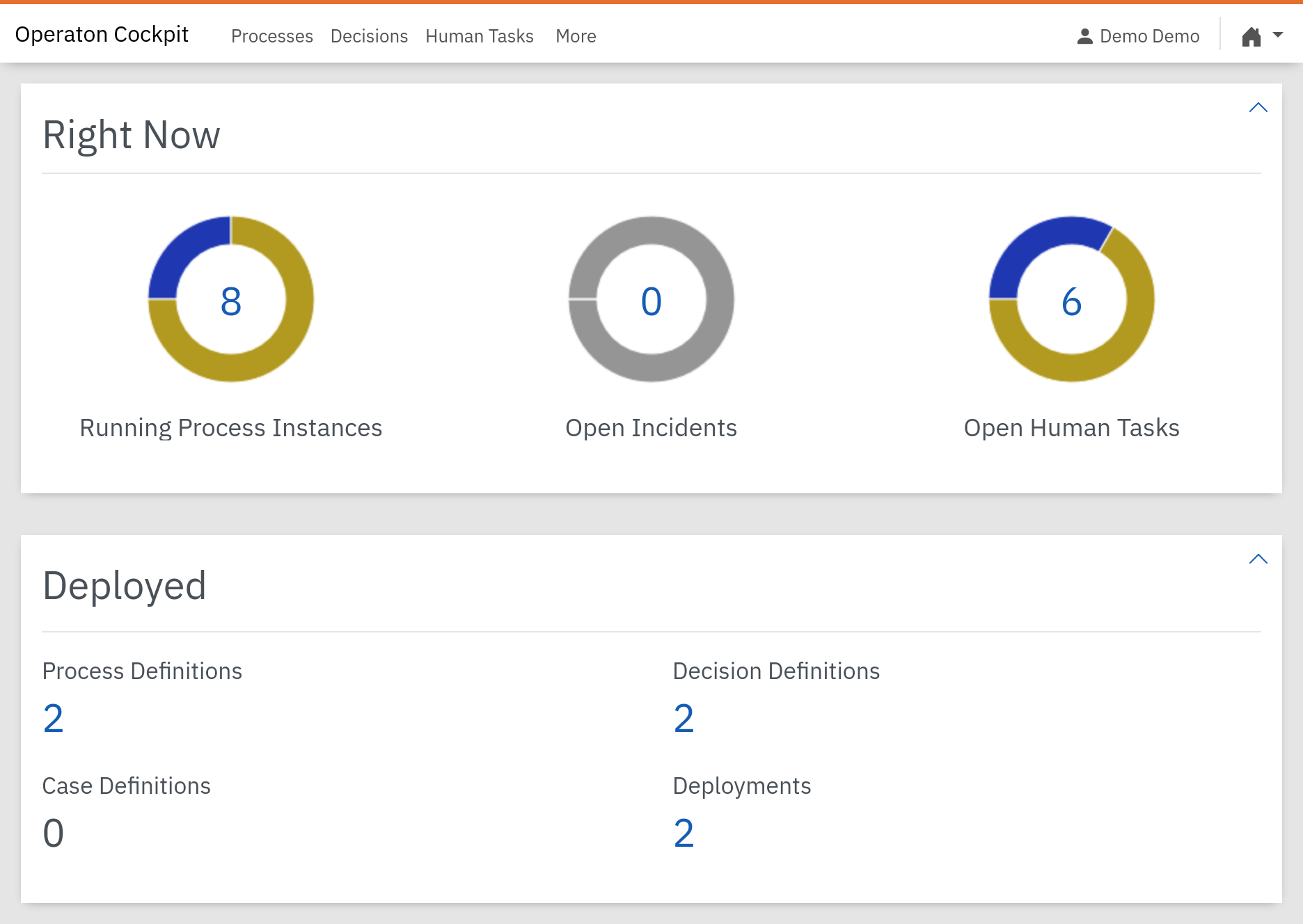
Our recommended BPMN engine is Operaton: a free and open source engine, licensed under the OSI-approved Apache 2.0 license, and maintained by its community rather than owned by a single company.
Operaton is a community fork of Camunda 7 CE, a mature, Apache 2.0-licensed BPMN 2.0 engine. It runs on the Java runtime, is extensible with Spring, and provides the process engine itself, a REST API, and the web UI shown here.
Check the Operaton FAQ for more information about it, or join their Slack from their homepage to ask more.
External Service Task pattern#
BPMN’s basic activity types include  User Tasks,
  Script Tasks, and
  Service Tasks. A User Task is usually a form, whose data is then submitted to the engine. A Script Task runs within the engine itself, useful for transforming data between activities. A Service Task describes work that is usually executed outside the engine.

The three basic BPMN activity types, a user task, a script task, and a service task.#
The external service task pattern is the recommended approach for automating work with an external process engine. Rather than customizing the engine itself for domain-specific automation, this pattern keeps the engine as-is for easy maintenance, and implements domain-specific task automation and integrations as external workers. This decouples process automation from task automation. Workers can run anywhere and scale horizontally.
An external service task publishes content in Plone once its scheduled publication time is reached.#
For example, with the Operaton engine:
The engine creates a task for the configured topic.
A worker fetches and locks the service task.
The worker executes the automation and completes the task.
The engine handles retries and failure incidents.