
Show a poll in a page#
The Poll block shows a poll in any page, and visitors can vote in it without leaving the page. It works as a top-level block and inside a Grid block.
Show the latest open poll#
Use this to keep a page showing whatever poll is current.
Edit the page, and add a Poll block.
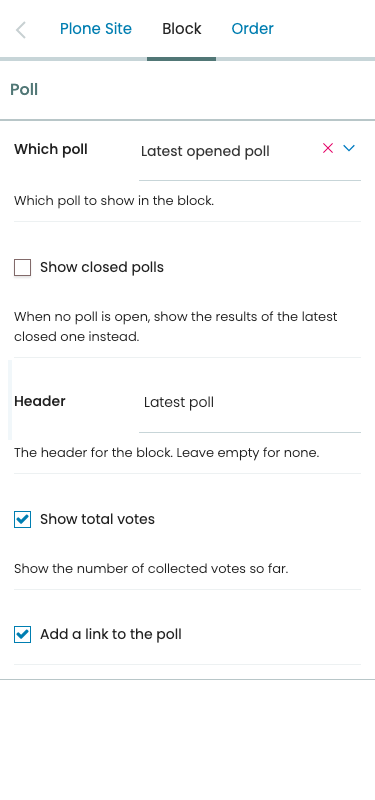
In the block's settings, keep Which poll at Latest opened poll.
Optionally, check Show closed polls, so that the block shows the results of the latest closed poll while no poll is open.
Save the page.
The block searches the whole site, or the whole language folder in a multilingual site, and shows the newest poll by creation date. It shows nothing to visitors when there is no poll to show.
Show a chosen poll#
Edit the page, and add a Poll block.
Set Which poll to A chosen poll.
In Chosen poll, browse to the poll and select it.
Save the page.
The block keeps showing that poll in any state the visitor can see: its options while it is not open yet, the vote form while it is open, and its results once it is closed.
Adjust what the block shows#
Setting |
Effect |
|---|---|
Header |
A heading above the poll. Leave it empty for none. |
Show total votes |
Show how many votes the poll collected, when the visitor may see the results. |
Add a link to the poll |
Link the poll's question to the poll itself. |
See The Poll block for the stored values.