
Install the frontend#
Add @plone-collective/volto-identity to a Volto project.
Without it the backend is installed and nobody can sign in: every sign-in route this package uses is registered by the frontend add-on.
Do Install the backend first.
Requirements#
Volto |
developed against 19.3.0 |
React |
18 |
Also needs |
|
Add the add-on#
A cookieplone project has an add-on
package of its own under frontend/packages/, and that package is where a
project's add-ons are declared. Volto loads it from volto.config.js, and
everything it names comes with it—so volto.config.js is not edited here.
Edit
frontend/packages/<your-addon>/package.json, naming@plone-collective/volto-identityin both keys:{ "addons": [ "@plone-collective/volto-identity" ], "dependencies": { "@plone-collective/volto-identity": "*" } }
The two do different jobs, and one without the other fails quietly.
dependenciesis what fetches the package.addonsis what Volto reads to register it—an add-on only independenciesis installed and never loaded, so its routes and components simply do not exist.Install:
make frontend-installOr from the frontend directory:
cd frontend && make install
Start:
make frontend-startOr:
cd frontend && make start
Verify#
Open /login on the frontend.
The page lists the providers the backend has configured and enabled, and no others.
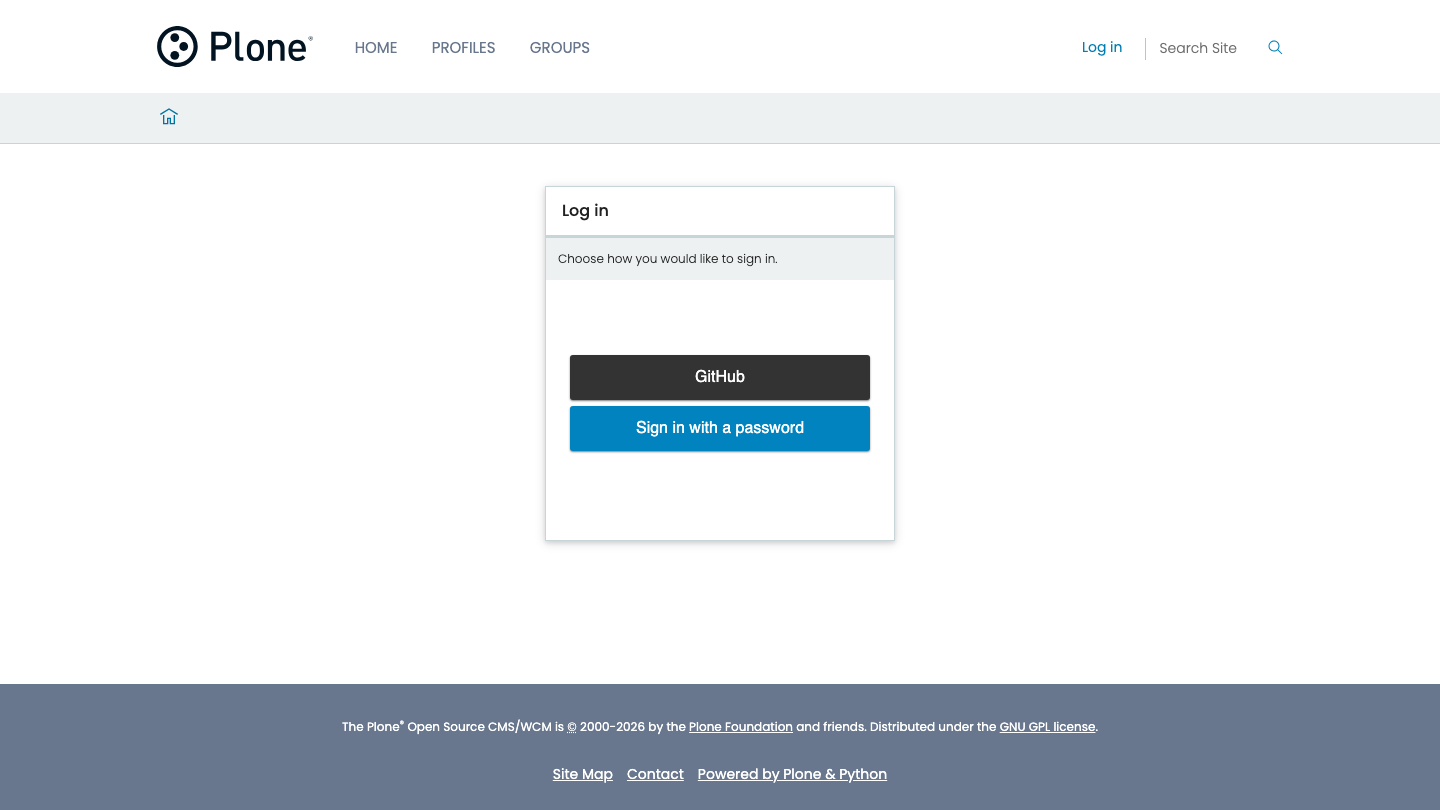
If the page is Volto's own username-and-password form instead, the add-on is not
registered. Check that it is in the addons key of your add-on's package.json,
not only in dependencies, and re-run make frontend-install.
If the page loads but lists no providers, the backend has none enabled yet: see Sign in with a provider.
Hide the Plone login form#
The add-on hides Volto's built-in username-and-password form by default, so /login offers only the configured providers.
To show it as well—useful while migrating, when local accounts still need a way in—set the environment variable on the frontend process:
RAZZLE_IDENTITY_SHOW_PLONE_LOGIN=true
Two things to know about it:
It is read at run time, not baked in at build time, so you can change it without rebuilding.
RAZZLE_is the only prefix Volto carries through to the browser, which is why the name has it.
The equivalent setting, if you would rather set it in code, is config.settings.identity.showPloneLogin. The environment variable wins over it.
Volto's own login form stays reachable at /fallback_login whether or not you set this.
What the add-on registers#
Ten routes:
Path |
What it is |
|---|---|
|
The provider list, replacing Volto's login |
|
The callback providers redirect back to |
|
The gate a new account passes through once |
|
Volto's own login form, kept reachable |
|
Manage your own sign-in methods |
|
The consent screen, |
|
Applications using your data, |
|
The provider control panel |
|
The client control panel, |
|
One user's sign-in methods, for administrators |
It also registers views for the UserProfile and UserGroup content types, a provider_icon widget, reducers, and a menu entry.
The full surface is in Frontend.
Next steps#
Sign in with a provider—add your first provider.
Frontend—routes, environment variables, and what you can override.
Troubleshoot sign-in—if
/logindoes not show what you expect.