
Federate two Plone sites#
In this tutorial you start two complete Plone sites and sign in to one of them using an account that exists only on the other.
By the end you will have seen a full OpenID Connect flow between two Plone sites, a consent screen, a magic-link sign-in, and a federated identity you can unlink. Along the way you will learn where this package puts each of those things, which is what makes the rest of the documentation readable.
The two sites are:
Host |
Role |
Layers |
|---|---|---|
|
The identity provider |
core and |
|
The relying party |
core, with the |
Before you start#
Docker |
with Compose v2 ( |
Disk |
around 4 GB for the images |
Time |
5 to 15 minutes for the first build |
Ports |
80, for Traefik |
Also useful |
|
You need the repository checked out. Everything else the demo builds.
Note
*.localhost resolves to 127.0.0.1 without any configuration on macOS and on most Linux distributions using systemd-resolved.
On Windows, and on Linux without systemd-resolved, add these to your hosts file:
127.0.0.1 id.localhost
127.0.0.1 plone.localhost
Start the stack#
Run this from the repository root:
make demo-stack-start
The first run builds images and takes a few minutes. When it finishes you see:
  Relying party:     http://plone.localhost
  Identity provider: http://id.localhost
Note
Compose prints The "VOLTO_VERSION" variable is not set. Defaulting to a blank string. twice on every command. It is harmless—the frontend image pins its own version—and you can ignore it.
Check that both sites are up:
curl -s -o /dev/null -w "%{http_code}\n" http://plone.localhost
curl -s -o /dev/null -w "%{http_code}\n" http://id.localhost
Both answer 200. If either does not, the backends may still be starting; give them a minute. If they stay down, see Troubleshoot sign-in.
Open http://plone.localhost in a browser. Notice that the login page offers exactly one way in, and does not wait for you to click it.
That site has no local password form, because the demo runs its frontend with RAZZLE_IDENTITY_SHOW_PLONE_LOGIN set to false.
Sign in as somebody who does not exist here#
You are redirected to http://id.localhost.
Look at the address bar.
You have left the relying party entirely, and you are now on the identity provider's own Volto login page.
Sign in as:
Field |
Value |
|---|---|
Username |
|
Password |
|
A consent screen appears, rendered by the provider's own frontend in the provider's own look. It names the relying party and lists what that party is asking for. Approve it.
You land back on http://plone.localhost, signed in.
Dana exists only on id.localhost.
The account you are now using on plone.localhost was created by the sign-in you just completed.
Watch consent happen only once#
Sign out of the relying party, then sign in again.
This time you are redirected straight back with no consent screen. Consent is recorded once per user and client, and the second visit reuses it.
Look at the identity you just created#
Open http://plone.localhost/identities.
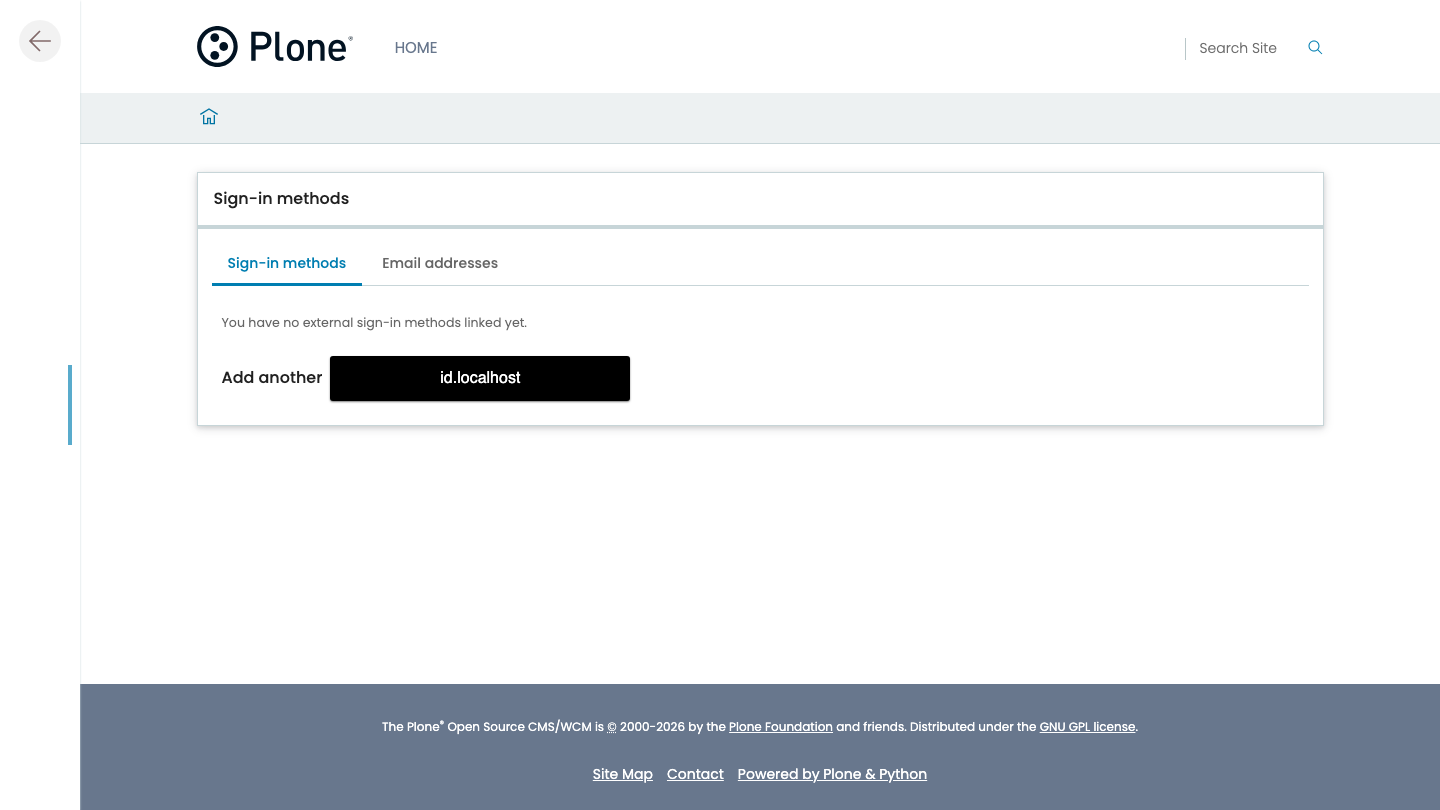
Your federated identity is listed there, naming the provider it came from. You can unlink it from this page. Do not unlink it yet, because it is currently your only way in to this site.
See a group cross#
Dana is in two groups on the provider: site-editors and content-site-editors.
The relying party's provider was configured with exactly one row in its group map:
content-site-editors -> Reviewers
So after that first sign-in Dana is in Reviewers here, and in nothing else.
Open http://plone.localhost/@@usergroup-userprefs and look them up, or check the provider's side at http://id.localhost/@@usergroup-userprefs.
Two things to notice.
The names differ on purpose.
Two sites in a federation do not agree on what their groups are called, which is why this is a mapping and not a name match.
The row lives in backend/demo/src/identitydemo/setuphandlers/rp.py.
Being in a group at the provider is not enough.
Dana is in site-editors too, and the provider also has foundation-members.
Neither has a row, so neither grants anything here, and neither is created locally.
A group with no row is a group this site has not agreed to honour.
Now try taking one away.
On the provider, remove Dana from content-site-editors—the mapped one—then sign out of the relying party and sign in again.
They are no longer in Reviewers.
Removing them from site-editors instead would change nothing here, which is the same rule seen from the other side.
Every sign-in reconciles, and it reconciles only what this provider granted: put Dana in Site Administrators here by hand and it survives every sign-in, because no provider gave it and no provider can take it away.
Sign in with a magic link#
The provider has a magic-link sign-in configured, and the login page does not offer it.
That is not a mistake. A provider has two separate switches: Enabled, which decides whether it works at all, and Show on the login screen, which decides whether the login page advertises it. The demo ships the magic-link provider enabled and hidden, so you can see the difference.
Turn it on yourself:
Open http://id.localhost/controlpanel/identity-providers and sign in as
adminwith the passwordadmin.Open the Email provider.
Switch on Show on the login screen.
Save.
Now go to http://id.localhost/login. The magic-link form is there, and it was not before.
Type any email address.
The stack has no mail server.
The demo package loads Products.PrintingMailHost when the site starts, which replaces MailHost with one that writes the message to the log instead of sending it.
Read it there:
make demo-stack-logs
Find the link in the output—search for magic_link=—and open it.
You are signed in to the provider, with no account created in advance and no password anywhere.
Fetch the contract#
The relying party was configured with an issuer URL and a client credential, and nothing else.
Every endpoint it used, and the keys it verified the id_token with, came from one document at runtime.
Fetch that document yourself:
curl -s http://id.localhost/.well-known/openid-configuration | jq
You get, among other fields:
{
  "issuer": "http://id.localhost",
  "authorization_endpoint": "http://id.localhost/@@oauth-authorize",
  "token_endpoint": "http://id.localhost/@@oauth-token",
  "jwks_uri": "http://id.localhost/@@oauth-jwks"
}
Those are the URLs your browser and the relying party's container have been using for the last few minutes. Nothing about this provider is special-cased in the relying party.
Look at the client registration#
Open http://id.localhost/controlpanel/identity-clients.
The demo client is registered there. Its secret is not, and cannot be recovered. A client secret appears exactly once, in the response that mints it.
Withdraw consent#
Open http://plone.localhost, and then, on the provider, visit http://id.localhost/applications.
The relying party is listed as an application that uses your data. Withdraw its access.
Now sign in to plone.localhost again.
The consent screen is back, because withdrawing consent deleted the record that let the second sign-in skip it.
Clean up#
make demo-stack-rm
That removes the containers and the database.
What you built#
You ran a real federation. Two Plone sites, one PostgreSQL holding both their databases and the provider's audit log, real cookies between sibling hosts, and a browser that never saw a shortcut.
An account, its profile fields, its avatar, and its group membership all crossed from one site to the other, and the second site decided for itself what any of it was allowed to mean.
Important
Every credential in this stack is a fixed literal in backend/demo/src/identitydemo/settings.py, and therefore public.
The identitydemo package is never published to PyPI, is not installed into the production image, and both of its GenericSetup profiles refuse to install unless IDENTITY_DEMO is set in the environment.
Next steps#
About federation explains why the issuer is configured rather than derived, why one URL has to resolve both inside and outside the containers, and how a Volto login becomes a Zope principal.
Another Plone site is this setup, for a site you actually run.
Register an OAuth client is the other half: registering a client on the provider.
Mental model names everything you just watched happen.