
How to register an OAuth client#
Let another application sign its users in against your Plone site.
This applies to the [server] layer. Every endpoint below is bound to the server
browser layer, so a site that never applied the server profile does not publish
them at all.
All of these calls need Manage portal.
Before you start#
Set the issuer, if you have not:
pas.plugins.identity.server_issuer
The package never derives it from the portal URL. See About federation for why, and Settings for the other server records.
Register the client#
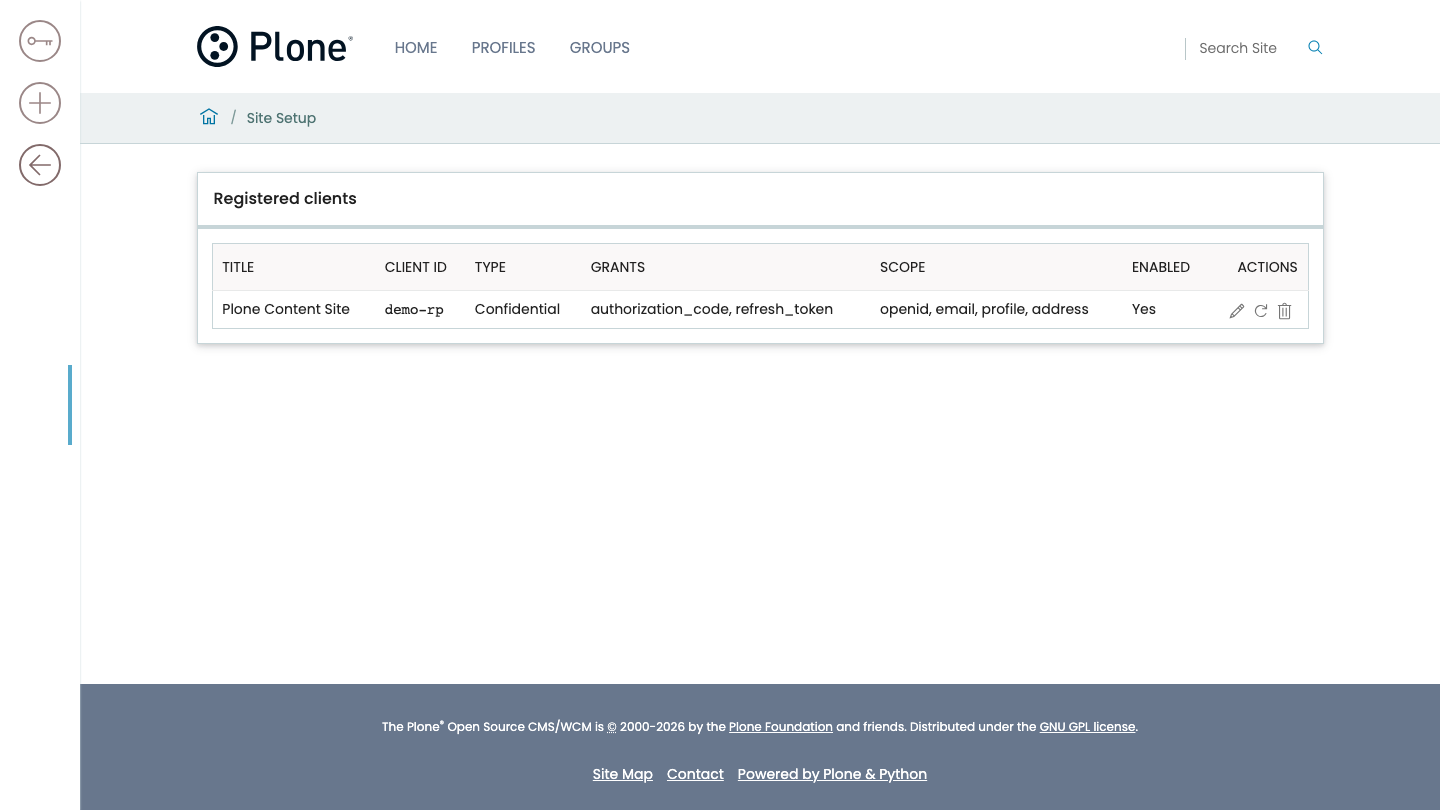
Collect what the client needs: a title, its redirect URIs, the grants, the scope, and the authentication method.
Register it:
POST @identity-clients
Capture the secret from the response.
Important
The response to this call contains the client secret, and it is the only response that ever will.
The secret is stored as a scrypt hash and nothing needs the plaintext again, so it cannot be read back. If it is lost, rotate it. There is no recovery, by design.
Read About secrets for why this differs from how a provider's secret behaves.
About scope#
It is a list, not a line of space-separated text.
The control panel offers the scopes this server releases claims for—the same ones the discovery document advertises. A scope it does not offer is still accepted through the API: a client-credentials client is registered with the scopes its own resource server checks, and this server's job for those is to carry them in the token rather than to know what they mean.
About redirect URIs#
They are matched exactly unless you register a wildcard. No prefix matching, no ignoring the query string, no treating a trailing slash as equivalent.
A wildcard is a real widening. See Threat model before registering one.
Point the client at the discovery document#
Give the client the issuer URL and its credential. It needs nothing else.
<issuer>/.well-known/openid-configuration
That document carries the endpoints, the jwks_uri, the signing algorithm, the
supported scopes, and the claim list.
Amend a registration#
PATCH @identity-clients/<id>
You can change the title, the redirect URIs, the grants, the scope, the service user, and whether the client is enabled.
You cannot change client_id or auth_method. Renaming a client would
orphan every token already minted for it, and turning a confidential client
public would leave a stored secret hash that nothing checks. Both are a delete
and a re-register.
A PATCH naming any other unknown field is refused rather than ignored. Silently
dropping one is how an operator comes to believe they changed something they did
not.
Rotate a client secret#
POST @identity-clients/<id>/rotate-secret
The response carries the new secret, once.
Revoke a client#
Either:
DELETE @identity-clients/<id>
or set enabled: false with a PATCH, which is reversible.
Warning
Either one stops the client's tokens working immediately.
Access tokens carry the client id as their audience, and the Bearer plugin looks that id up in the registry on every request. With no denylist, that is the only revocation this server has—which makes it worth knowing before you do it by accident.
Rotate the signing key#
POST @identity-keys/rotate
Rotating mints a new signing key and keeps the previous ones, so tokens issued
before the rotation keep verifying until they expire. A relying party finds the
right key by kid.
Warning
The ring is bounded, and the response reports the bound. Rotating more times than the ring holds within one access-token lifetime does invalidate tokens still in flight.
That is a decision rather than an accident, which is why the number is in the response instead of only in the source.
To inspect the ring without rotating it:
GET @identity-keys
This returns metadata only: key ids, and which one is signing. It never returns
key material. The public halves are already served at @@oauth-jwks, and a
second copy would only be something to fetch out of step with the first.
Verify#
GET <issuer>/.well-known/openid-configurationreturns a document whoseissuerequals the URL you fetched it from.GET @identity-clientslists the client.The client completes a sign-in and receives a token.
GET @identity-keysshows which key is signing.
Next steps#
Claims released by the server layer—every endpoint, scope, and claim the server releases
Endpoints—the server layer's full surface
Another Plone site—the other side, if the client is a Plone site
Federate two Plone sites—the whole thing running end to end