
Configure a provider#
Register an identity provider, test it, and remove it.
A provider is a configured instance of a driver. The driver knows how to talk to a kind of service; the provider record holds this site's credentials for one particular service. Two GitHub organizations are two providers sharing one driver.
For a specific provider, Sign in with a provider has a recipe. This page is the part every provider has in common.
Add a provider#
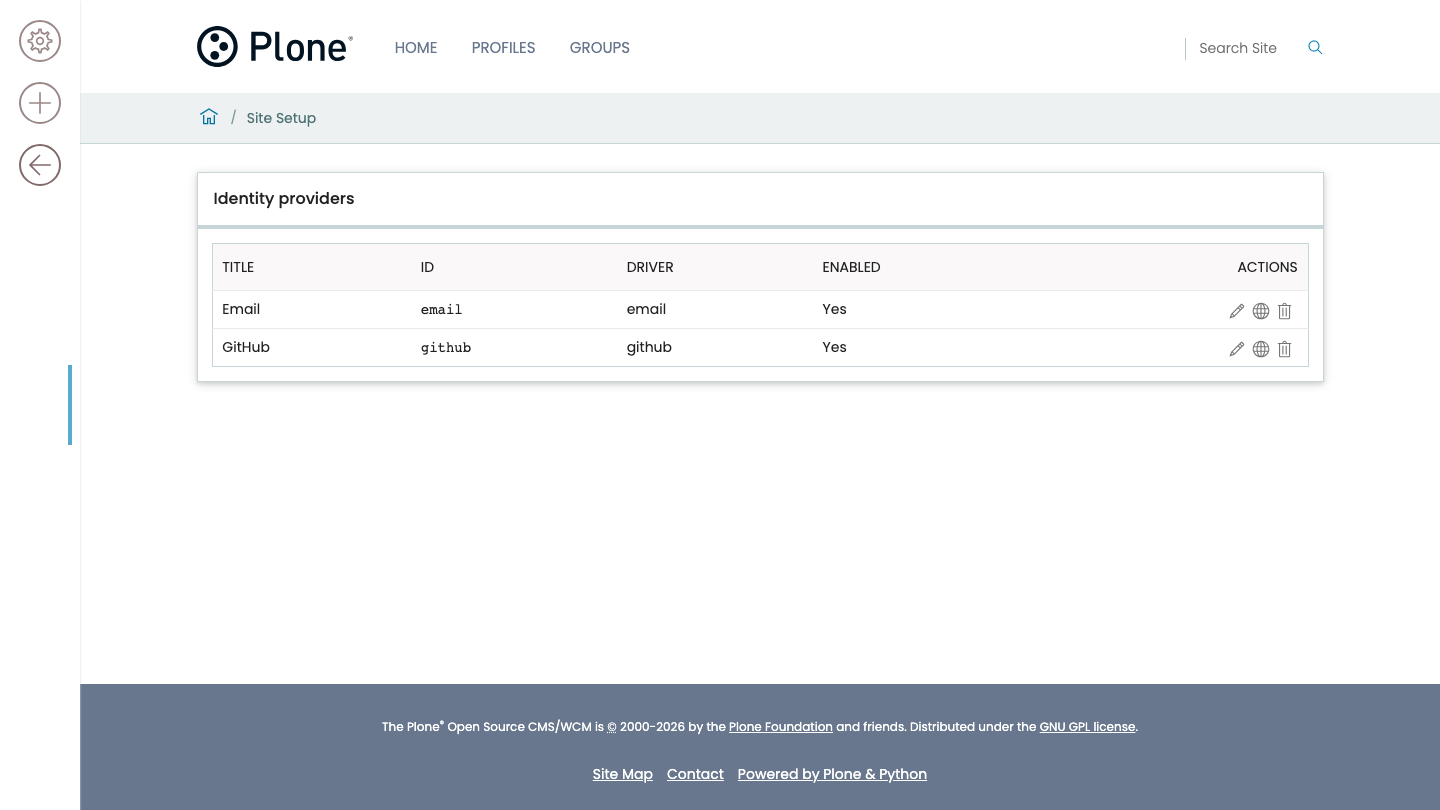
Open the Identity providers control panel.
Choose a driver. See Shipped drivers for what each one is.
Fill in the form and save.
The form is generated from the driver's published schema, so a site that installs a third-party driver gets that driver's form with no frontend change. Every field is listed in The provider form.
Enable a provider and show it on the login page#
Two switches, answering different questions.
- Enabled
Whether the provider works at all. A disabled provider keeps its settings and its stored identities, and nobody can sign in or link through it.
- Show on the login screen
Whether the login page offers a button for it.
An enabled provider that is not shown is still usable. It stays linkable from a user's own Sign-in methods page, and an account already linked to it still signs in through it.
That is what a staff-only or invitation-only provider looks like: usable, and not advertised to everybody who reaches the login form.
Note
A provider configured before this setting existed reads back as shown. Upgrading a site does not take its login buttons away.
Test the connection#
Use the Test connection action.
It fetches the provider's discovery document, or validates the static configuration for drivers that have no discovery, and reports what it found. It clears the discovery cache first, because a button that reports the answer from twelve hours ago is worse than no button at all.
Important
Test connection does not sign anybody in. It tells you the issuer and the network are right. It says nothing about the client secret, the redirect URI, or the trust switches—those show up only in a real sign-in, in the audit log.
Map claims onto profile fields#
The Mapping tab's property map carries one value from the provider's answer to one field on the person's profile, on every login.
Open the provider and go to Mapping.
Add a row. Type the claim path on the left—
name,blog, or a dotted path such asaddress.formattedto read into an object the provider sent.Pick the profile field on the right. There are four:
Field |
Shown as |
|---|---|
|
Full name |
|
Home page |
|
Biography |
|
Location |
Save.
The claim path is text because only the provider knows what it publishes; the target is a picker because these four are the only fields a login writes. A row naming anything else is refused, with a 400 from the API and an error from GenericSetup on import.
Note
Two things a login writes are deliberately not in that list, and neither
needs a row. An address is appended to the profile's own list of addresses,
which a person arranges and this package never reorders. A portrait is fetched
from the provider's picture_url claim when sync_portraits is on.
A site upgraded from an earlier version may still have such rows. They never did anything; the upgrade step for profile version 1004 removes them and logs each one.
To write a field the map cannot reach—a list, or a value that has to be built rather than copied—see Write a profile enricher.
Replace or keep the client secret#
The control panel serializes a stored secret as a mask, never as its value.
To keep the stored secret, save the form with the mask unchanged.
To replace it, type the new one over the mask.
Warning
Do not clear the field to keep the existing secret. Blanking it sends an empty string, which is a different instruction, and it destroys the stored secret.
A GenericSetup export carries the stored secret as its value, so an export of your provider configuration is enough to rebuild a working site—and is itself a credential. Read one before committing it anywhere.
Read About secrets for why secrets behave differently here than when the site acts as an authorization server.
Export providers#
The Identity providers control panel downloads provider configuration as a registry document a profile can ship.
A row's Export action downloads that provider, as
pas.plugins.identity.providers.<id>.xml.The toolbar's Export every provider action downloads all of them in one document, in their order, as
pas.plugins.identity.providers.xml.
Both filenames are the ones a profile's profiles/default/registry/ directory
files them under.
Exporting needs the pas.plugins.identity: Export Identity Providers
permission, which a default install grants to Manager alone. The panel offers
the actions to nobody else, including a role your site has given
Manage portal so that it can manage the providers.
From the API#
GET @identity-providers/<id>/export returns one provider as a registry
fragment, and GET @identity-providers/@export returns every provider as one
document. Each response names the file it belongs in.
curl -H 'Accept: application/json' -u admin:admin \
  http://localhost:8080/Plone/@identity-providers/github/export
{
  "@id": "http://localhost:8080/Plone/@identity-providers/github/export",
  "provider": "github",
  "filename": "pas.plugins.identity.providers.github.xml",
  "xml": "<registry>\n  <records interface=\"...\" prefix=\"...\">..."
}
The fragment has two halves, and the split is not cosmetic:
the provider's own fields arrive as one
<records interface= prefix=>node, because they are declared onIProviderRecordsand inherit their types from it;each driver setting arrives as its own
<record>carrying a<field type=>, because a driver's settings belong to no interface—which of them exist comes from the driver at runtime—so a record without its own type cannot be imported into a site that has never seen the provider.
Exporting the whole registry instead does not work: registry.xml from
runExportStep carries records belonging to every other package, and importing
that document into a site fails on one of them.
Warning
The fragment carries the client secret as its stored value, exactly as a GenericSetup export does. It is a credential. Read it before committing it anywhere, and set the secret per environment instead if the repository is not one you already trust with secrets.
Delete a provider#
Deleting a provider removes its configuration.
It does not delete the identities linked through it. Those are account data, and a configuration change is not an instruction to lock people out. If you want the identities gone as well, remove them first.
Verify#
A working provider has all four of these:
it appears on
/login, if you asked for it to be shownTest connection reports success
a sign-in through it returns you signed in
the audit log has an
authenticatedentry for it
If any of those fails, Troubleshoot sign-in is organized by exactly these symptoms.
Next steps#
The decisions about what the provider is allowed to mean are separate guides, because each is a real decision rather than a field to fill in:
Link accounts by email—attaching a sign-in to an account that already exists
Control account creation—admitting only people who already have an account
Map provider groups—turning the provider's groups into local ones, and restricting sign-in
Enable back-channel logout—so a sign-out at the provider ends the session here