
pas.plugins.identity#
Multi-provider external authentication for Plone, built on authlib and joserfc.
Warning
Alpha software. Endpoints, registry keys, and the driver contract may change without a migration path until 1.0.0. Read Stability for what is settled and what is not.
One canonical Plone user id maps to many external identities for the same person. GitHub, Google, any OpenID Connect provider, another Plone site, or an emailed magic link. You get that mapping without running a separate identity broker, and the package never guesses it.
Two add-ons, installed separately#
This is one solution in two packages, and a working site needs both.
Package |
Is |
Gives you |
|---|---|---|
|
A Plone backend add-on |
The PAS plugins, the identity store, the providers control panel, the audit log, the REST API, and optionally the authorization server. |
|
A Volto frontend add-on |
The login page, the callback route, the sign-in methods page, the provider form, and the control panels a person actually clicks. |
They are versioned and released together, and neither is useful alone: the backend publishes the endpoints and the frontend is what calls them. Install the backend first, then the frontend.
Volto is not optional today: Classic UI sign-in is not supported yet.
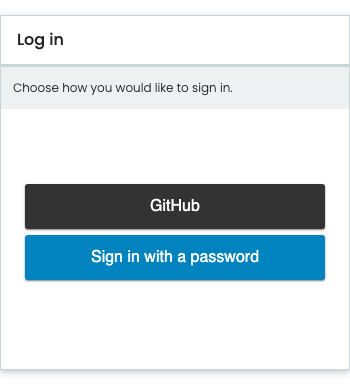
That page builds itself from the providers you configured. A provider you have not switched on is not on it, and the password form stays unless you turn it off—so adding the first provider does not take away the way in you already had.
Start here#
New to the package? Read Mental model first. It names the six things this package deals with, shows what a sign-in actually does, and points you at the right quadrant for your role.
Then, by what you came to do:
Run something today—Federate two Plone sites starts two Plone sites in Docker and signs in to one against the other.
Set it up for real—Install the backend, then Install the frontend, then a recipe from Sign in with a provider.
Write Python against it—Python API is the one import path, and the only one to write against.
Something is broken—Troubleshoot sign-in is organized by symptom.
Important
Building an add-on or a policy package on top of this?
Import from pas.plugins.identity.api and nothing else.
from pas.plugins.identity import api

api.IProfileEnricher            # register against
api.IdentityLinked              # subscribe to
api.UserProfile                 # type hint, adapt
api.profile.get_current()       # do
The module a name is implemented in under core or server is not where it is published, and it moves without notice.
See Python API.
Learn by doing. Run two Plone sites and sign in to one against the other.
Install the package and the frontend, configure a provider, troubleshoot a failure, migrate from another add-on, write your own driver.
Endpoints, settings, the provider form, the frontend surface, events, claims, permissions, and the drivers that ship with the package.
The mental model, the threat model, and why the design works the way it does.
Every component the Volto add-on ships, rendered with its props. Built from this repository and published beside these pages.
The two layers#
The package installs as a core, with one optional layer beside it.
pas.plugins.identitySign in with one or more external providers, link and unlink identities, an audit log of authentication events, and a control panel. Users and groups are content: installing the add-on adds a
UserProfileand aUserGroupcontent type, each with a workflow, a dedicated catalog, and PAS plugins that serve user properties, user enumeration, and group membership from that catalog. See About users as content and About profiles and groups.pas.plugins.identity[server]An OAuth 2.1 and OpenID Connect authorization server, so a Plone site can be the provider that other applications sign in against. See Claims released by the server layer.
Core never imports from the server layer, and CI enforces that boundary rather than leaving it to discipline.
So depending on pas.plugins.identity with no extras is a configuration that is tested rather than assumed.
There is a third extra, [sql], which is not a layer.
It adds one audit sink that writes to a relational database, and installs no profile.
See The audit log.
Read About the two layers for what each layer buys you and what it costs.
What you need#
Plone |
6.2 |
Python |
3.12, 3.13, or 3.14 |
Frontend |
Volto, developed against 19.3.0 |
Sign-in requires the Volto frontend. Classic UI is not supported for sign-in yet; support for it is intended. See Stability.
See also
Report a security vulnerability privately, using the instructions in SECURITY.md. For the properties the test suite enforces, see Security guarantees. For the reasoning behind each guarantee, see Threat model.